Pick the dates, and net leave days are ready on the phone
Balance, net days, overlap check: on the employee's phone.
The screens in this film were recorded from the Turkish interface of Pulsar HRM.
Leave from Your Phone: leave requests from the phone
The employee signs in with their PIN and opens an annual leave request from the My Leave Balance (İzin Bakiyem) card. Once the dates are selected, the day count comes from the leave rules: weekly rest days and public holidays are deducted, and the net days and the return-to-work date are ready. If the selected dates overlap existing leave, the request stops. A submitted request waits in My Requests (Taleplerim).
PIN login and leave balance in the mobile HR app
The employee logs in with their PIN; the My Leave Balance (İzin Bakiyem) card on the home screen shows the entitlement and the days used, and "Leave Request" ("İzin Talebi") opens from here.
Annual leave calculator: net days from the leave rules on the server
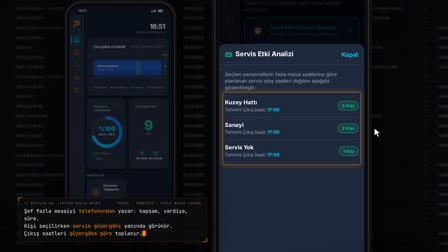
When the start and end dates are entered, calendar days, weekly rest days, public holidays, net working days and the return-to-work date are calculated; the calculation is done with the leave rules on the server, not on the phone.
Leave overlap check: an overlapping request is blocked entirely
If the selected range overlaps an existing leave, no days are deducted; a warning appears and the send button is disabled. When the dates change, the calculation is redone.
Submitting an online leave request form and time off tracking in My Requests
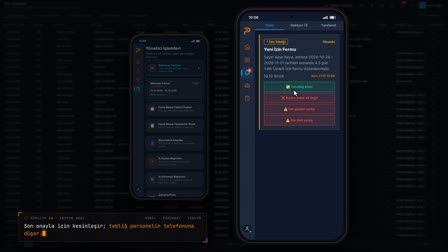
After a description is written, the request is created with "Send Request" ("Talebi Gönder"); it is tracked on the My Requests (Taleplerim) screen under the Pending, Approved and Rejected tabs, and a pending request can be canceled.
How it works
- The employee signs in with their PIN and opens "Leave Request" ("İzin Talebi") from the My Leave Balance (İzin Bakiyem) card on the home screen.
- They enter the start and end dates; calendar days, weekly rest days, public holidays, net working days and the return-to-work date are calculated.
- If the selected range overlaps an existing leave, a warning appears and the send button is disabled.
- They write an optional description and create the request with "Send Request" ("Talebi Gönder").
- The request is listed as "Pending" ("Beklemede") on the My Requests (Taleplerim) screen; the employee can cancel it from there.
Frequently asked questions
How does a time off request app calculate net leave days?
The calculation is done with the leave rules on the server, not on the phone. The summary shows calendar days, the weekly rest days and public holidays deducted, net working days and the return-to-work date; the send button carries the net number of days.
Can I request leave for dates that overlap an existing leave?
No. In an overlap, days are not deducted; the request is blocked entirely: a warning message is shown and the "Send Request" ("Talebi Gönder") button is disabled. When the dates are changed, the calculation is redone.
Where do employees track the status of a leave request?
In the Leave Requests (İzin Talepleri) section of the My Requests (Taleplerim) screen, on the Pending, Approved and Rejected tabs. A pending request can be withdrawn with "Cancel Request" ("Talebi İptal Et").
How to request annual leave from your phone?
The employee logs in with their PIN, opens "Leave Request" ("İzin Talebi") from the My Leave Balance (İzin Bakiyem) card, selects the dates and sees the calculation summary; they write a description and tap "Send Request" ("Talebi Gönder").
Can employees see their leave balance in the app?
Yes. The My Leave Balance (İzin Bakiyem) card on the home screen shows the remaining leave, the entitlement and the days used.
How are half-day holidays, such as holiday eves, deducted from leave days?
A half-day holiday eve in the public holiday list is deducted as half a day in the calculation; for example, in a range covering the eve and the holiday, the public holiday appears as 1.5 days.
What can employees do themselves in the mobile leave app?
As employee self-service, staff log in with their PIN, see entitlement and used days on the My Leave Balance (İzin Bakiyem) card, create leave requests, follow their status in My Requests (Taleplerim) and cancel a pending request.