HR calendar: key dates come from their source, nobody types them in
Enforcement response deadline, policy, document, holiday: all to the calendar from their records.
The screens in this film were recorded from the Turkish interface of Pulsar HRM.
Calendar: HR calendar and reminders
End of probation, comprehensive insurance and GSM contract expiry, time-limited document expiry, public holidays, birthdays and expected visitors come to the calendar from their source records. When an enforcement file is entered, the deadline for the response letter is set seven days later and added to pending tasks. A task is closed with a completion note.
Company calendar: daily, weekly and monthly views
The calendar shows the location's important dates in daily, weekly and monthly views; events are placed on the correct day according to the location's time zone, and at most 90 days are read at a time.
Dates from the source record: employee birthday reminder, probation, contracts, vehicles
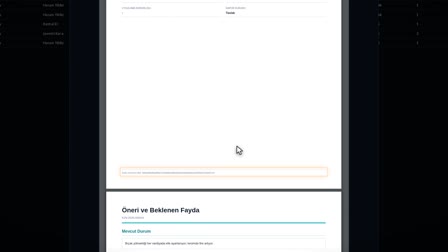
Birthdays (without age), work anniversaries (with the number of years) and the end of the probation period come from the employee card; document and contract expiry dates and the warranty, comprehensive insurance, insurance and inspection expiry dates of vehicles in use come to the calendar from their own records, and "Go to Record" ("Kayda Git") takes you to the record.
Type filter in the HR calendar app
The calendar is filtered by the 29 types in the type registry; which types are visible is managed in the role definition.
Location based HR reminders: personal, location or headquarters
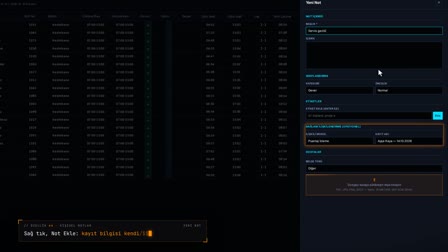
Reminders targeted at a person, one or more locations or headquarters are created, edited and deleted in the general note, audit, meeting and task categories; a reminder can be made visible to additional users, including employees.
Pending tasks, overdue task alerts and HR task reminders
All visible incomplete reminders are listed regardless of date, and overdue ones are flagged. A task is closed with a completion note or reopened.
Visitor appointments and blacklist check
A visitor appointment is opened from the calendar; a blacklist check is performed before saving, and appointments are shown with the result.
Event notes and public holidays
Users write notes on events they can see; on a yearly event, the note is tied only to that year. Public holidays and holiday eves come from the holiday list with the note "Full day" ("Tam gün") or "Half day" ("Yarım gün").
How it works
- You open Calendar & Reminders (Takvim & Hatırlatmalar) with the calendar icon in the header and choose the Daily, Weekly or Monthly view.
- Dates such as birthdays, end of probation, comprehensive insurance, GSM and document expiries, public holidays and visitors are listed from their source records.
- You turn event types on and off with the filters; the event count updates according to your selection.
- In the mini calendar, you right-click a day and add a reminder with "Add New Reminder" ("Yeni Hatırlatma Ekle") by entering a title, description and category.
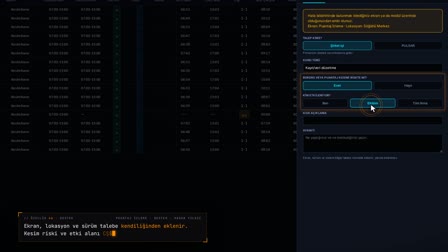
- On a task card, you write a completion note with "✓ Complete" ("✓ Tamamla"); the card becomes "COMPLETED" ("TAMAMLANDI") and drops out of pending tasks.
Frequently asked questions
Do I have to enter calendar dates by hand?
No. Birthdays, work anniversaries and end of probation come from the employee card; comprehensive insurance and GSM expiries from the asset record; fixed-term document expiries from Contracts and Documents (Sözleşmeler ve Belgeler); public holidays and visitors from their own records.
How to track the reply deadline for an enforcement file in the calendar?
When an enforcement file is accepted, the deadline for the response letter is written to the calendar 7 days after the acceptance date. The card links to the enforcement response screen with "Go to Record →" ("Kayda Git →") and stays in Pending Tasks (Bekleyen Görevler).
What appears in the Pending Tasks list?
Tasks that come from the calendar and are not yet completed are listed with their date and a link to the record. A task drops off the list when it is closed with a completion note.
How to keep an HR calendar?
In Pulsar HRM the HR calendar fills itself: employee, document, contract, vehicle, holiday and visitor dates come from source records. The calendar also works as a reminder app for HR: users add only their own reminders and tasks and filter the types open to their role.
How to track the end of the probation period?
The end of the probation period goes to the calendar from the employee card. Under Article 15 of the İş Kanunu No. 4857 (Turkish Labor Act), the probation period can be agreed for at most two months and can be extended up to four months by collective labor agreements.
How to get a vehicle inspection and insurance expiry reminder?
The warranty, comprehensive insurance, insurance and inspection expiry dates of vehicles in use go to the calendar from the vehicle record; the card links to the vehicle record with "Go to Record" ("Kayda Git").
Is the eve of a public holiday a half day?
In the Pulsar HRM public holiday list, holiday eves are included as half days and appear on the calendar with the note "Half day" ("Yarım gün").
How to share a reminder with the team?
A reminder can be created for a location or headquarters; additional users, including employees, can also be added so the reminder is visible to them.
How does document expiry tracking work?
Expiry dates of time-limited documents and contracts flow into the calendar automatically from Contracts and Documents (Sözleşmeler ve Belgeler); the card links to the record via "Go to Record". Document deadline tracking therefore needs no manual date entry.