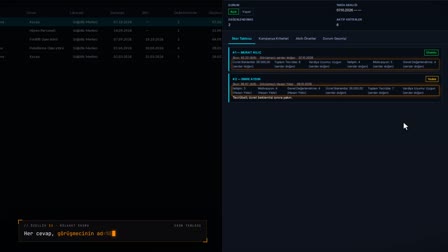
Candidate tracking: the application is new, the candidate's history with the company is ready.
Active employee block, in-company history, assessment report.
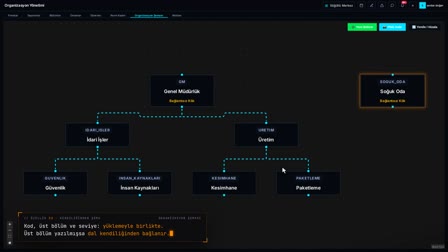
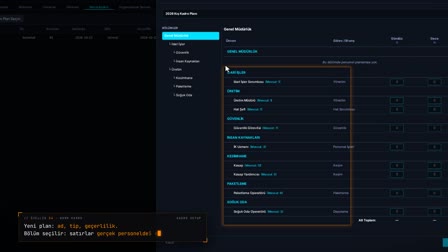
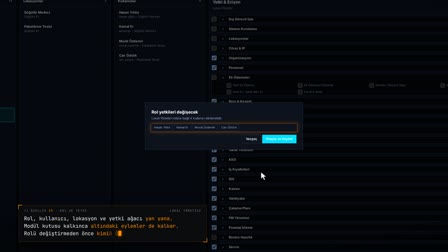
The screens in this film were recorded from the Turkish interface of Pulsar HRM.
Candidate History: candidate tracking and application history
A new application is added to the pool with the Turkish ID number (TC), the channel and a dragged-in CV. When someone tries to apply with an active employee's TC, the form rejects it and shows the personnel number. In Candidate Details (Aday Detayı), Company History (Firma Geçmişi) automatically lists a previous application with the same TC at another location and the former employee record with the reason for leaving. The Assessment Report (Değerlendirme Raporu) brings the history together; HR makes the decision.
New application, CV drag and drop and referral candidate tracking
In the Applications grid, a right-click opens Add New Application; the Turkish ID number (TC), phone, application class, channel and candidate source are entered and the CV is dragged onto the form. On saving, the candidate joins the application pool and the file is uploaded afterwards. To track referred candidates, the channel is set to Referral and the referring person is entered in the Candidate Source field.
No application with an active employee's Turkish ID (TC)
If the TC entered belongs to an active employee, the form states with the registry number that a new application cannot be accepted, and the record is not added. This prevents a candidate record from being opened by mistake for someone who is currently employed.
Candidate history lookup: previous applications and former employee record
Candidate Details (Aday Detayı) › Company History (Firma Geçmişi) automatically lists applications made with the same TC at the company's other locations and the former employee record with personnel number, status and reason for leaving. The history is ready in the candidate details without searching location by location. When a former employee applies to be rehired, their old record appears here with the reason for leaving.
Interview types: HR, technical and general manager interviews
An interview of the HR, Technical, General Manager or other type is recorded with date and time, interviewer (an employee in the system or an external name), notes and outcome. The outcome is recorded as Positive, Negative or Continue as candidate.
Saving interview notes and the candidate evaluation report
In Evaluations (Değerlendirmeler), an interview is recorded with type, interviewer, notes and outcome. The Assessment Report (Değerlendirme Raporu) gathers personal and application information, company history and interviews in a single PDF, with the creator and a SHA-256 hash at the bottom.
Emailing the candidate evaluation report together with the CV
With Send Report + CV (Rapor + CV Gönder), the assessment report and CV are emailed to a person selected from the address book. No free-form email address can be typed when sending; the recipient is selected from the address book.
How it works
- In the Applications (Başvurular) grid, you right-click to open "Add New Application" ("Yeni Başvuru Ekle") and enter identity, contact, application class and channel details.
- You drag the CV onto the form and save; the candidate is added to the applicant pool and the file is uploaded after the record is saved.
- In Candidate Details › Company History (Aday Detayı › Firma Geçmişi), previous applications made with the same Turkish ID number (TC) and former employee records are listed automatically.
- On the Assessments (Değerlendirmeler) tab, you record the interview with the interviewer, notes and outcome.
- You preview the Assessment Report (Değerlendirme Raporu) as a PDF and email it to a contact in the address book with "Send Report + CV" ("Rapor + CV Gönder").
Frequently asked questions
Can a new application be opened for a current employee?
No. If the entered TC belongs to an active employee, the form shows the employee's personnel number and states that a new application cannot be accepted, and the record is not added.
How to check if a candidate has worked at the company before?
The Company History (Firma Geçmişi) tab in Candidate Details (Aday Detayı) automatically lists previous applications made within the company with the same TC and former employee records, together with the reason for leaving, including those at other locations.
Does the candidate evaluation report make the hiring decision?
No. The report brings together the candidate's history and interviews and carries a note that institutional memory alone does not constitute a hiring decision; the decision rests with HR.
What to look at in a rehire eligibility check?
For a rehire eligibility check, Pulsar shows the former employee record with personnel number, employment status and reason for leaving; the decision stays with HR.
How to prepare a candidate evaluation report?
In Candidate Details (Aday Detayı), Assessment Report › PDF Preview (Değerlendirme Raporu › PDF Önizle) generates the report automatically; it includes personal information, company history and interviews.
How to send the CV and report by email?
With the Send Report + CV (Rapor + CV Gönder) button, a recipient is selected from the address book; the assessment report and the CV are sent together.
Can Pulsar be used as interview management software for notes?
Yes. Interview notes are kept on the candidate record's Evaluations tab together with interview type, interviewer and result. In campaign-based or free interview evaluations, each question has a separate column for the candidate's answer and notes.
How does the resume database store candidate documents securely?
CVs and other candidate files (PDF, JPG, PNG; up to 20 MB per file) are kept on the candidate's Files tab. Pulsar stores these files encrypted with AES-256-GCM and checks their integrity with SHA-256.