The moment a leave request form is saved, leave days are calculated and the document goes to the printer
Calculated from the work schedule, an official document via MDYS.
The screens in this film were recorded from the Turkish interface of Pulsar HRM.
Leave Form: leave forms and official documents
The number of days is calculated from the employee's work schedule; the moment you save, a document is generated from the MDYS template and printing opens. The wet-signed copy is attached to the same record.
New leave request form: employee and available leave
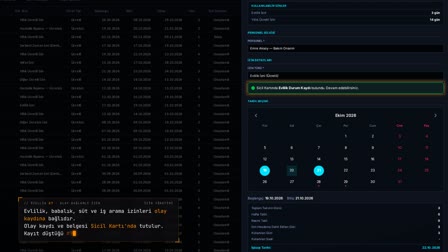
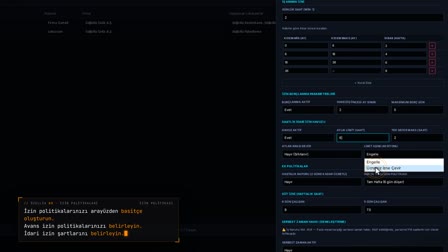
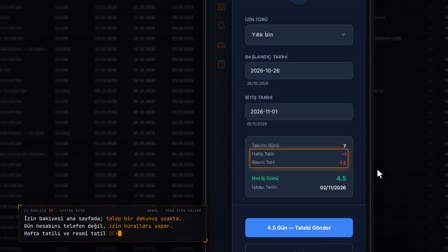
In Leave Forms (İzin Formları), right-click and select "Add New Leave" ("Yeni İzin Ekle"); once the employee is searched for and selected, Available Leave (Kullanılabilir İzinler) is listed and the leave type is chosen. The usage type is full day, half day or hourly.
Leave day calculation: days and return-to-work date from the work schedule
When a range is selected on the calendar, calendar days, weekly rest days, public holidays, leave days and the return-to-work date are calculated. The weekly rest day is taken only from the employee's work schedule; the return-to-work date is found by skipping weekly rest days and public holidays.
Leave document: PDF from a template, automatic printing
The moment you save, the leave form document is prepared from the template version published in mDYS and the print window opens automatically. The document contains the leave entitlement, the leave request, the employee's leave usage statement and an archive code; the document is stored encrypted.
Leave application form example: what the annual leave request contains
The sample document contains the leave entitlement, the leave request (type, date range, number of days, return-to-work date), the employee's leave usage statement, the approver's name and job title, the pay status and an archive code.
Wet-signed leave form and mobile acknowledgement in the same record
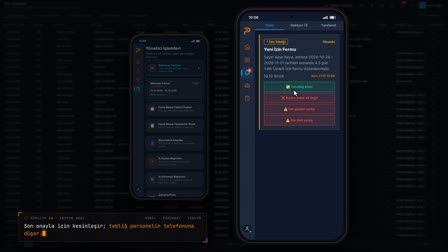
The wet-signed copy is linked to the same record by right-clicking "Upload Signed Form" ("İmzalı Form Yükle"); the mobile acknowledgement of receipt also appears on the same row.
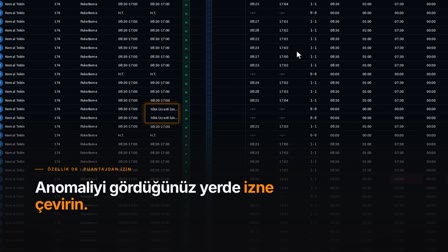
Approved leave is written to the timesheet
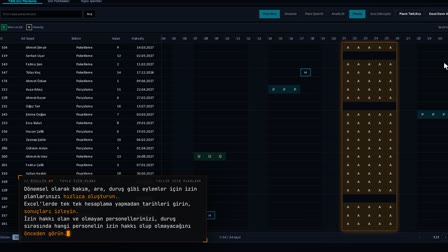
Approved leave is written to the daily plan and the timesheet row is recalculated; regular leave is not written on weekly rest days or public holidays.
How it works
- Under Leave Management › Leave Forms (İzin Yönetimi › İzin Formları), you right-click and select "Add New Leave" ("Yeni İzin Ekle").
- You search for and select the employee; Available Leave (Kullanılabilir İzinler) is listed and you choose the leave type.
- You select the date range on the calendar; the number of leave days and the return-to-work date are calculated according to the employee's work schedule.
- The moment you save, the leave form document is prepared from the MDYS template and the print window opens.
- You attach the wet-signed copy to the same record with right-click › "Upload Signed Form" ("İmzalı Form Yükle").
Frequently asked questions
How to calculate leave days excluding weekly rest days and public holidays?
Weekly rest days are taken only from the employee's work schedule; public holidays are deducted separately. The return-to-work date is found by skipping weekly rest days and public holidays.
Is saved leave reflected in the timesheet?
Yes. Approved leave is written to the daily plan and the timesheet row is recalculated; regular leave is not written to weekly rest days or public holidays.
What does a leave request form contain?
The document produced from the published template version contains the leave entitlement, the leave request, the employee's leave usage statement and an archive code; the document is stored encrypted.
How to fill out a leave application form?
In Pulsar HRM, the leave document is not filled out by hand: when the leave form is saved, the document is generated from the published template with the employee, leave type, dates, number of days and return-to-work details. The wet-signed copy is uploaded to the same record.
How to complete a leave form?
You select the employee, choose the type from Available Leave (Kullanılabilir İzinler) and the date range from the calendar; the number of days and the return-to-work date are calculated automatically. On save, the document is prepared and printing opens.
Does a leave form created on the web need approval?
A leave form opened on the web from the HR screen is saved directly as approved. Requests that employees open themselves go through the steps in the approval matrix.
Which leave types can be chosen, including half day and hourly leave?
Types such as annual, excused, unpaid, sick leave and maternity leave are selected with a full-day, half-day or hourly usage type; the list comes from the employee's available leave.