A support ticket opens with its screen and goes to the right desk.
Explain the problem once: its screen, location and place in the queue are in the request.
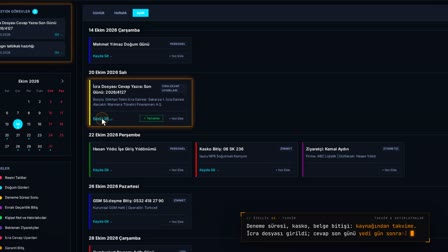
The screens in this film were recorded from the Turkish interface of Pulsar HRM.
Support: HR software support ticket
The life-ring icon in the title bar starts a request with the name of the screen it was opened from and the location; screen, version and system information are added automatically. Outage risk and scope of impact are asked in the first question. The request first goes to the company's support contact, who answers it or forwards it to PULSAR; the correspondence stays in the same request.
Lifebuoy: the support ticket opens with its screen
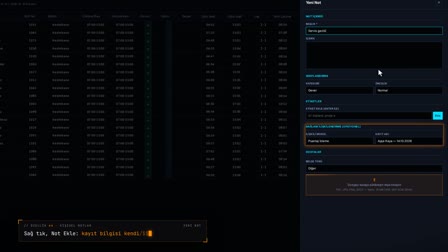
The lifebuoy in the title bar opens the Support (Destek) drawer. A new request starts with the name of the screen it was opened from.
Internal support requests or PULSAR support
If internal is selected for the "who is the request for" question, the request is routed to the company's support staff; if PULSAR is selected, it goes to PULSAR support. The topic type, downtime risk, scope of impact and description are entered, and a request number is assigned.
Company ticket queue and request management by location
The support contact's lifebuoy shows the number of pending tickets as a badge. Each ticket is saved with its location, and the Company requests tab is filtered by the selected location scope; here a ticket is answered, closed as resolved or forwarded to PULSAR.
Support ticket tracking: My Requests and conversation
In My Requests (Taleplerim), the requester tracks their open and closed requests, their status and the correspondence. A request awaiting the requester's reply is flagged with a badge.
How it works
- You open the Support drawer with the life-ring icon in the title bar; the screen name and location are filled in on the form automatically.
- You select who the request goes to, the topic type, the risk of disruption and who is affected, and send it with a short description.
- An "Internal" ("Şirket içi") request lands with the status "At Company" ("Firmada") in the "Company requests" ("Firma talepleri") tab of the company's support contact.
- The support contact writes a reply to the request or sends it on to PULSAR with "Forward to PULSAR" ("PULSAR'a ilet").
- When a reply is expected from you, a badge appears on the life-ring icon; you add your answer to the same request thread.
Frequently asked questions
What information is added to a support ticket automatically?
The name of the screen where the request was opened and the location are filled in on the form automatically. Screen, version and system information are added to the request automatically; passwords are not included.
Can a support ticket go directly to PULSAR?
Yes. For the question "Request to whom?" ("Talep kime?"), you select PULSAR or Internal; the default is PULSAR. An internal request first goes to your company's support contacts, who forward it to PULSAR if needed.
How do I notice pending support tickets?
A badge appears on the life-ring icon in the header for requests awaiting action from you or your company. In the drawer, requests are listed on the My Requests (Taleplerim) and Company requests (Firma talepleri) tabs as Open, Closed and All.
How to open a support ticket?
Click the lifebuoy in the title bar, enter who the request should go to, the topic type and a description, and send it; a request number is assigned.
How to write a support request?
The form has fields for topic type, downtime risk, scope of impact, a short description and details; information about the screen it was opened from is added to the request automatically.
Does a ticket stay with the internal help desk or go to PULSAR?
A request marked as internal stays within the company; the company's support administrator forwards it to PULSAR if needed.
Where do I track my ticket status?
The My Requests (Taleplerim) tab in the support drawer shows open and closed requests with their status and correspondence.
How does the support team see the ticket queue?
The badge on the lifebuoy shows the number of pending requests; the Company Requests (Firma talepleri) tab lists the requests.
Can you exchange messages on a support ticket?
Yes. Company support and the requester reply to each other on the same request; the request can be closed as resolved.