Headcount planning: select the department and the headcount lists itself.
Rows from employees, current staff from the work schedule.
The screens in this film were recorded from the Turkish interface of Pulsar HRM.
Standard Headcount: standard headcount planning
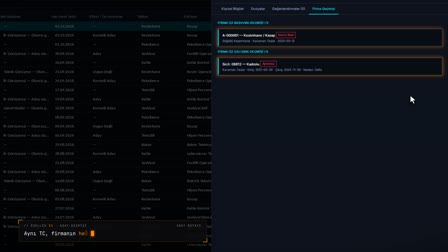
In the standard headcount plan, when a department is selected, job title and position rows come from actual employees with their current counts; only the targets are entered. The comparison recounts current staff from today's work schedule; employees whose shift is undetermined are shown separately. Positions that aren't in the plan also appear on the list.
Workforce planning: headcount plan type, dates and status
A plan is opened as seasonal, annual or custom, with a start–end date or open-ended; this way workforce planning is done with separate plans for a season or a year. Its status is Draft, Pending Approval, Approved or Archived.
Shift-based headcount plan: FTE for departments and sub-departments
When a department is selected, job title and role rows come in with current counts from the actual employees in that department and all its sub-departments. The target headcount for each shift is entered, and row totals and subtotals are calculated.
Submission for approval and headcount plan revisions
The plan is sent to the standard headcount flow in the approval matrix. A new revision (R1, R2) of an approved plan is opened, and all revisions are combined under a single identity.
Position control: planned vs. current headcount and fill rate
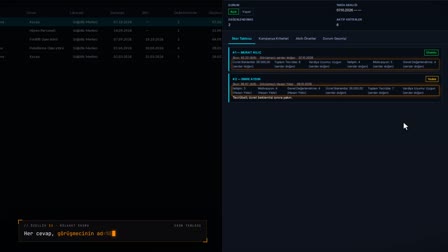
The comparison shows planned, current, shift-assigned and unassigned counts, the fill rate and the shortfall by position; it also lists positions that are not in the plan. The current count is taken again from active employees at the location.
How it works
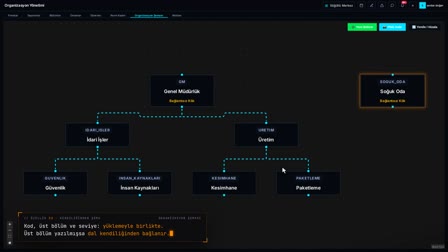
- In Organization Management › Standard Headcount (Organizasyon Yönetimi › Norm Kadro), you right-click to open a new headcount plan and save the plan name, type and dates.
- From the plan row, you open "Plan Details (Headcount Setup)" ("Plan Detayı (Kadro Setup)") and select a department from the tree on the left.
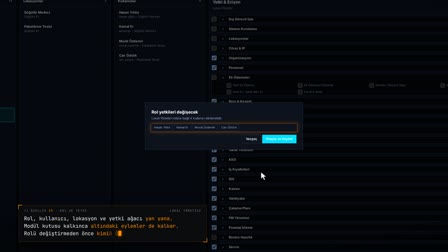
- Job title and role rows come in with their current counts, based on the employees in the selected department and its sub-departments; you enter the targets.
- You send the plan for approval.
- With "Compare Selected" ("Seçilenleri Karşılaştır"), you see the plan and current staff by position, along with the differences.
Frequently asked questions
Do positions have to be defined one by one in a headcount plan?
No. When a department is selected, job title and role rows are filled in automatically, with their current counts, from the actual employees in that department and all its sub-departments; you only enter the targets.
Where does the current headcount in the comparison come from?
The current figure is recounted from the active employees at the location. Those with a shift in today's work schedule are shown as "Shift Assigned" ("Vardiyası Belirli") and those without as "Shift Unassigned" ("Vardiyası Belirsiz").
If employees work in a position with no target in the plan, are they shown?
Yes. Employees in a position that is not in the plan are listed in the comparison table on a row with an empty plan value and a filled current count.
What is a standard headcount plan?
A standard headcount plan is the target staffing that shows how many people should work in which job title and role in a department. In Pulsar, this target is entered as FTE by shift and compared with current staff.
How to calculate headcount for workforce planning?
The plan brings in current counts from actual employees, and the user enters only the targets; row, subtotal and total FTE are calculated automatically.
What is FTE, and how is it used in FTE planning?
FTE is the full-time equivalent headcount; in the plan, the target headcount for each shift is entered as FTE, and the total FTE is shown.
How to compare planned and current headcount?
Select the plans and press Compare Selected (Seçilenleri Karşılaştır); planned, current, fill rate and shortfall are listed by position.
How does the headcount plan approval process work?
With Approve Plan (Planı Onayla), the plan goes to the standard headcount flow in the approval matrix and its status becomes Awaiting Approval (Onay Bekliyor).
Can a seasonal headcount plan be created?
Yes. The plan type is selected as seasonal, annual or custom, and a date range or open-ended validity is set.
How to do shift-based headcount planning?
In Plan Details, a department is selected; for each job title and position row that appears, the target headcount per shift is entered as FTE, and row totals and subtotals are calculated automatically.
What does the module cover as workforce planning software?
Plan type and dates, target FTE per shift by department and sub-department, the approval and revision flow, and the comparison of planned and current headcount are all in the same module.