Role-based access control: roles grant permissions; exceptions have an end time.
Role changes are approved with the affected users in view; exceptions are granted with an end date.
The screens in this film were recorded from the Turkish interface of Pulsar HRM.
Roles and Permissions: user role and permission management
In Role Permissions V2 (Rol Yetki V2), when a module is removed from a role, the users assigned to that role are listed by name before saving. A user can be given an exception to override a lock; if no end is entered, the warning "You are about to grant an open-ended permission" ("Süresiz izin vermek üzeresiniz") appears, and the exception is saved with an end time. A local role cannot see beyond its location; the menu is built according to permissions.
Role Permissions V2: permission matrix of role, user, location and module
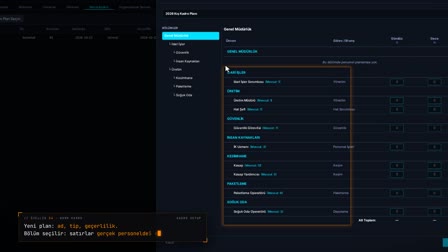
Roles, users, locations and the module → tab → action permission tree are edited side by side in four panels. Only the Supervisor can change role permissions.
Affected users are shown before saving
When a module is removed from a role, the number of users linked to that role who will be affected is listed by name before saving. The change is applied after the confirmation window shows the users who will be affected.
Temporary access rights: user-specific extra permission or restriction
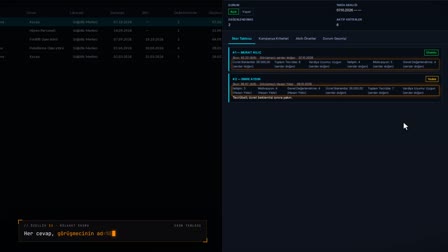
A user can be given an additional permission or restriction that is not in their role. An end date and time and a description are required; an additional permission without an end date triggers an open-ended permission warning, and an expired permission is not counted.
Location-based access and field-level security
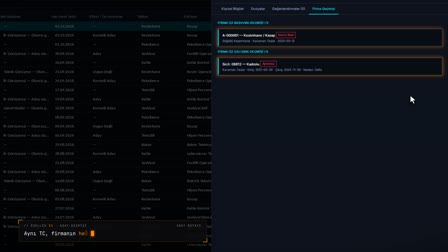
In a local role, a user sees only the data of the locations they are assigned to. Field Privacy (Alan Gizliliği) sets fields such as pay, IBAN and Turkish ID number (TC) to Hidden, Masked, View or Edit by role, table and field.
Security: audit log, password policy, locked accounts, approval matrix
On the Security tab, user actions (audit log) and session records are filtered, the password policy is shown and locked accounts are unlocked. The approval matrix defines multi-stage approval templates by department, job title, position and shift.
How it works
- In User Management › Role Permissions V2 (Kullanıcı Yönetimi › Rol Yetki V2), you see roles, users, locations and the permission tree side by side.
- You select a role and edit its permissions; unchecking a module's box also removes the tabs and actions under it.
- Before saving, a window lists by name the users linked to this role who will be affected; you confirm and save.
- You give a user an action outside their role as an additional permission and save it with a description and an end date and time.
- In their own session, users see only the menus they are authorized for and the locations covered by their role.
Frequently asked questions
Can you see which users will be affected when a role's permissions change?
Yes. The confirmation window that opens before saving lists by name the users linked to the changed role. Only a user with the Supervisor role can change role permissions.
Can a user be given a temporary additional permission?
Yes. An action outside the user's role is granted as an additional permission, with a description and an end date and time. After the end time, this permission no longer counts in permission checks.
What happens if an additional permission is granted without an end date?
Before saving, the warning "You are about to grant an open-ended permission" ("Süresiz izin vermek üzeresiniz") appears. From there, you can go back and enter an end date.
How to prepare a permission matrix?
In Pulsar, the permission matrix is not kept in Excel; in Role Permissions V2 (Rol Yetki V2), you select a role, check the module, tab and action boxes, and see the affected users before saving.
How does role-based access control work?
Permissions are granted to roles, and users receive permissions from their role; in a local role, access is further limited to the locations the user is assigned to.
Can temporary access rights be granted to a user?
Yes. A user-specific additional permission is granted with an end date and time; once it expires, it is not counted in permission checks, and a warning appears if you try to grant it without an end date.
Can you hide salary information from managers and other users?
Yes. In Field Privacy (Alan Gizliliği), fields such as pay, IBAN and Turkish ID number (TC) are made hidden or masked by role.
How to see who did what in the audit log?
The activity log on the Security (Güvenlik) tab shows user actions in a filterable, paginated list; login and logout records are also listed separately.
How to unlock a locked account?
Accounts locked after failed attempts are listed, and an authorized user removes the lock.
What is an approval matrix?
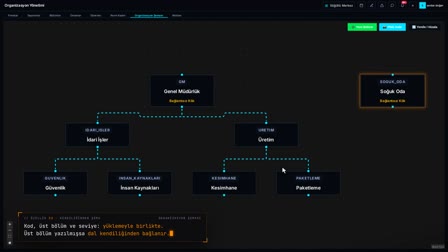
An approval matrix defines who approves a request and in which order, in other words the approval hierarchy; in Pulsar, multi-step approval templates are built by department tree, job title, position and shift.
Which requests does Pulsar route for approval like workflow approval software?
For example, leave requests and standard headcount plans are approved step by step according to the flow in the approval matrix. Steps with mobile approval enabled arrive on the manager's phone as Pending Requests.