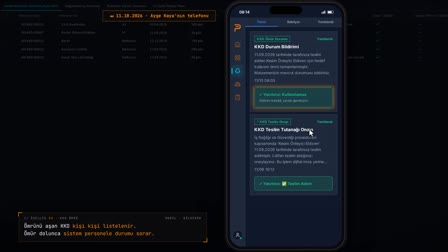
Workwear transfer: stock doesn't drop when the clothing leaves; it moves when the target accepts.
Transfer request, acceptance at the destination, return for washing.
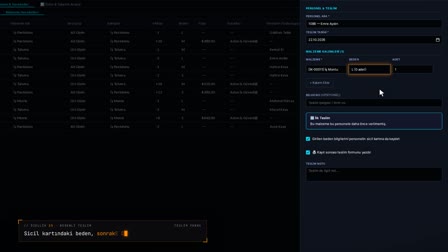
The screens in this film were recorded from the Turkish interface of Pulsar HRM.
Transfer and Return: workwear transfers and returns
A workwear transfer first opens as a request; neither side's stock changes until the destination location accepts it. When the destination clicks "Accept" ("Kabul"), stock is deducted from the source and added to the destination; the person who decided and the movement number are recorded. A quantity the source doesn't have cannot be accepted, and the request stays pending. Clothing returned by an employee as "For Washing" ("Yıkanacak") goes back into stock.
Inter-branch stock transfer starts as a request
On the Location Transfers (Lokasyon Transferleri) tab, a pending transfer is marked with a red dot. While the request is open, the stock of neither location changes.
Uniform inventory management: the target accepts, short source stock stops it
The target location clicks Accept (Kabul) on the row; if the source stock is sufficient, the source decreases, the target increases, and the decision maker and date are stored. If there is not enough stock at the source, the transfer is not applied and a warning appears.
Uniform return tracking, condition and workwear replacement tracking
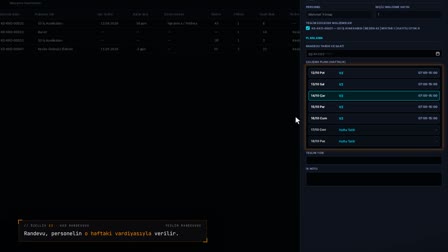
A return from the employee is opened from the material movements. The system checks whether the return is possible, the condition is set to usable or for washing, and the item goes back to stock. At a new handover the previous item's status is also asked: the old handover is closed or stays with the employee as a spare. Workwear that can no longer be used is scrapped as a separate record from the right-click menu in Stock & Inventory.
Row-based transfers for PPE too
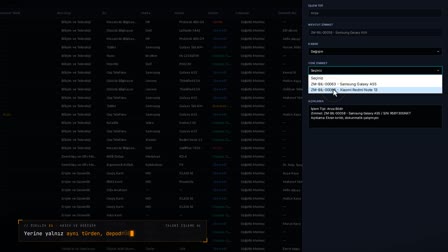
In a PPE location transfer, the decision applies only to the clicked row. Other rows are accepted or rejected with a separate decision. The same target-accepts pattern is also used for fixed asset transfer tracking in the asset assignment (Zimmet) module.
How it works
- At the target location, you see pending transfer requests under Handovers & Movements › Location Transfers (Teslim & Hareketler › Lokasyon Transferleri).
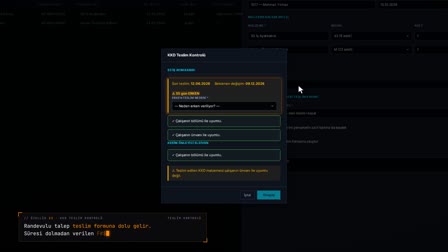
- You right-click the request row, choose "Accept" ("Kabul") and confirm in the "Transfer Decision" ("Transfer Kararı") window.
- If the source has enough stock, source stock decreases and target stock increases; the decision maker, decision date and movement number are written to the row.
- For a quantity the source cannot cover, the warning "Stock at the source location is insufficient for the transfer." appears and the request stays pending.
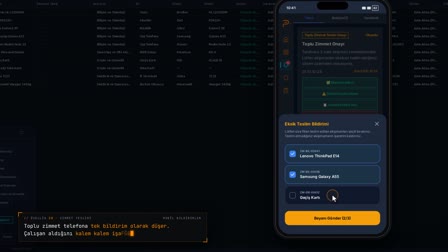
- In Material Movements (Malzeme Hareketleri), you use "Receive Return from Employee" ("Personelden İade Al") on the handover row to record the return with the "For Washing" ("Yıkanacak") condition.
Frequently asked questions
When does stock change in a workwear transfer between locations?
A transfer first waits as a request; during this time, neither location's stock changes. When the target location accepts the request, source stock decreases, target stock increases and a movement record is written.
Who approves the transfer, and can the source location accept its own request?
The Accept (Kabul) and Reject (Red) options appear only on a pending request and only when the selected location is the target of the transfer. The user who made the decision and the decision date are stored on the transfer row.
Does workwear returned by an employee go back to stock?
Yes. When the condition "For Washing — returns to stock" ("Yıkanacak — stoğa geri döner") is selected on the "Receive Return from Employee" ("Personelden İade Al") form, the garment is added back to the stock of the location where it was handed over.
How to transfer workwear between locations?
A transfer request is opened and the target location accepts it on the Location Transfers (Lokasyon Transferleri) tab; stock moves only at that moment.
Is stock deducted before the transfer is accepted?
No. While the request is pending, the stock of both locations stays the same.
What happens if stock at the source location is insufficient?
On acceptance, the source stock is locked and checked; if it is insufficient, the transfer is not applied and a check warning appears.
How to record a uniform return when an employee leaves?
A return is opened from the employee's handover row, the condition is selected and a return note is written; usable or for-washing garments go back into stock.
Can you see who made the transfer decision?
Yes. The decision maker and decision date are stored on the transfer row, and the movement number is linked.
Can PPE also be transferred between locations?
Yes. In a PPE transfer, each row is accepted or rejected with a separate decision.
Can each location's workwear inventory be tracked separately, like a warehouse?
Yes. Stock & Inventory shows each location's stock in separate rows by item and size; once a transfer is accepted, the source location's stock goes down and the target's goes up.