Occupational accident report: the report from the field becomes a legal file for each injured person.
Mobile report, a legal file and CAPA for each injured employee.
The screens in this film were recorded from the Turkish interface of Pulsar HRM.
Occupational Accident File: accident report, notification and CAPA
The department supervisor records the occupational accident report on the phone in six steps; two injured employees go into a single report. On the web, "Approve and Create Forms" ("Onayla ve Formları Oluştur") opens a separate occupational accident form for each injured employee. On the form, the shift comes from that day's schedule; the police and SGK deadlines are ready. When lost workdays are entered, an accident type is suggested, a root cause is selected and a CAPA is opened linked to the accident.
Mobile incident reporting app: a six-step first report on the phone
The department supervisor completes the report on the phone with the incident location, injured employee, injury and confirmation steps. Multiple injured employees go into a single report, and the report is stored on the server with a record number.
From the incident report to an accident form for each injured person
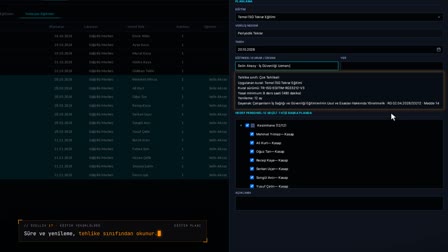
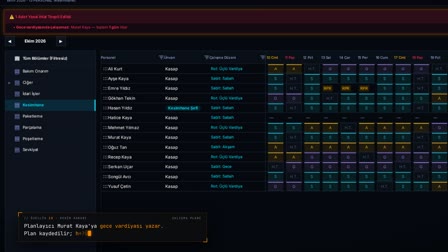
On the web, the report is approved with Approve and Create Forms (Onayla ve Formları Oluştur). A separate occupational accident form is opened for each injured employee, and the department and shift are filled in from that day's record.
Accident reporting deadlines: police and SGK (Social Security Institution) due dates
The Official Notifications (Resmî Bildirimler) section calculates the police and SGK deadlines from the time of the accident and flags late notifications. An official notification alert is generated every day at 09:00.
Lost time injury tracking and corrective and preventive action
The system suggests a classification based on days not worked (for example, an accident with lost workdays). From the accident, Create Central CAPA from This Source (Bu Kaynaktan Merkezi DÖF Oluştur) opens a CAPA with an owner and target date.
Accident documents: accident investigation report and sick note
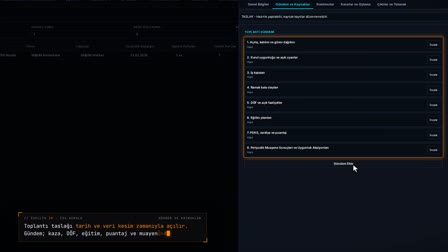
The accident notification form, accident investigation report and accident closure report are generated from templates. For the occupational accident sick note, an unpaid leave form with a locked type is opened; an approved occupational accident leave opens a single draft accident record.
How it works
- The department supervisor fills in the Occupational Accident Initial Report (İş Kazası İlk Bildirim) on the phone step by step; they can select more than one injured employee.
- With "Approve and Send" ("Onayla ve Gönder"), the report goes for approval; on the web, it appears under İSG › Occupational Accidents › Reports (İSG › İş Kazaları › Tutanaklar).
- With "Approve and Create Forms" ("Onayla ve Formları Oluştur"), a separate occupational accident form opens for each injured employee.
- On the form, you enter the lost workdays; the system suggests the accident type, and you select the root cause and save.
- From the CAPA (DÖF) tab, you open a CAPA linked to the accident with "Create Central CAPA from This Source" ("Bu Kaynaktan Merkezi DÖF Oluştur").
Frequently asked questions
How to record an accident with more than one injured person?
All injured employees are entered in a single report. When the report is approved, a separate occupational accident form is created for each of them.
Does the accident reporting software track SGK and police deadlines?
Yes. In Official Notifications (Resmî Bildirimler), the deadline is calculated as immediately for the police and as 3 working days for SGK, skipping public holidays; late notifications are flagged.
Are the shift and department of the accident entered by hand?
No. On the form, the department and shift come pre-filled from that day's schedule; the injury type and the affected body part are also carried over from the report.
How to fill in an accident report form?
On the phone, the incident location and time, the injured employees, the injury type and the body part are selected, the confirmation text is read and the report is sent. When the report is approved on the web, a form is opened for each injured employee.
Can accidents be reported through an incident reporting app?
Yes. The employee sends the accident date and time, the accident location, the witness statement and a photo from the mobile app; the department supervisor completes the six-step report on the phone.
How many days do you have to report an occupational accident to SGK?
Article 13 of Law No. 5510 (Turkish Social Insurance and General Health Insurance Law) requires the accident to be reported to the police immediately and to SGK (Social Security Institution) within three working days after the accident; Pulsar calculates the deadlines from the time of the accident and flags delays.
Can several injured persons be recorded on one incident report?
Yes. Multiple injured employees are selected in the report; on approval, a separate occupational accident form is opened for each of them.
How to record a sick note after an occupational accident?
From the Occupational Accident Forms (İş Kazası Formları) screen, occupational accident sick leave is opened with its type locked; an approved occupational accident leave opens a single draft accident record in the same operation, and no duplicate accident is created.
How to open a corrective and preventive action after an accident?
On the accident form, Create Central CAPA from This Source (Bu Kaynaktan Merkezi DÖF Oluştur) opens a CAPA linked to the accident; the title, department, owner and target date are entered.