Employee requests: every request from the phone is decided in one place.
Employee requests management: sick note approval into leave, PPE, workwear and asset assignment requests, employee feedback and issue reports.
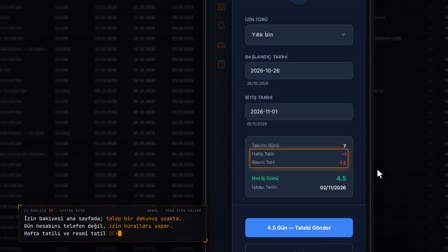
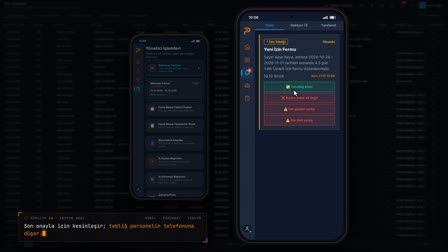
Sick note approval: approve the incapacity report and move it to leave
A sick note notification sent by an employee from their phone is approved and transferred to a leave record, or rejected with a reason. The attachment is opened and forwarded by email.
PPE request management, workwear and equipment requests; automatic requests at hiring
Mobile PPE, workwear and asset requests are decided; an asset request is given an appointment or taken into processing. For new employees, PPE and workwear requests are created automatically from the norm matrix and the size profile.
Employee feedback management and issue reports
Requests and issue reports from mobile are listed by department hierarchy, and their status is updated with a resolution response. The list is downloaded as Excel or PDF or sent by email; you set which feedback types are visible to employees.
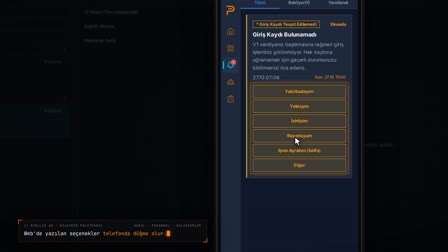
Biometric issue management and field response monitoring
Biometric issue reports are listed by rule and their status is updated. Field response tracking shows pending, unanswered and negative responses and the delivery report, and sends reminders to those who haven't answered.
Salary advance management: advance policy and advance requests
In the Advance Policy tab of Widget & Menu Settings (Widget & Menü Ayarları), the advance limit is defined as a fixed upper limit or a salary percentage. The same tab sets whether installment advances are allowed and the maximum number of installments, whether employees with an active advance debt can make a new request, and the request period (free or once a month).
Frequently asked questions
How to move a sick note into a leave record?
The sick note notification is opened, its attachment reviewed, and once approved it is transferred to a leave record; if it is rejected, a reason is entered.
How to collect employee feedback?
Employees report their request or issue from the mobile app; on the feedback screen, it is listed by department hierarchy and closed with a resolution response.
Can issue reports be exported to Excel?
Yes. The feedback list is downloaded as Excel or PDF or sent by email.
Is a PPE request opened automatically for new hires?
Yes. At onboarding, a system request for PPE and workwear is created from the norm matrix and the size profile.
How does the advance request app work on mobile?
If the Advance Request item is enabled in the Requests Menu, the employee fills in the form on the phone and sends it. The request is tracked in My Requests (Taleplerim) under Advance Requests as pending, approved or rejected.
Do you need a separate tool for advance payment tracking in Pulsar?
In Pulsar, an advance request is sent from the mobile app and tracked with its status in My Requests (Taleplerim); advance deductions processed in payroll appear on the employee's My Financial Deductions screen based on the last approved period.