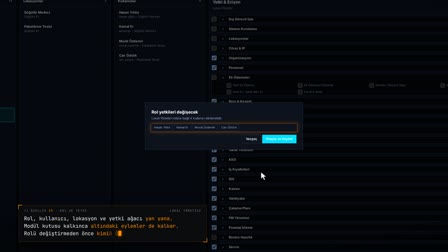
Applicant tracking system: every job application with its CV and interviews in one list.
Candidate database software: job applications and CVs in one pool; talent pool management with candidate number, channel, screening tag and status.
Job application form: what information is collected?
A new application is opened with first name, last name, Turkish ID number (TC), phone, date of birth, gender, education, experience, application channel, candidate source and application class. The channel is selected as Online, Walk-in (Elden), Referral (Tavsiye), Career Site (Kariyer Sitesi) or Other (Diğer), and the CV is uploaded by drag and drop on the same form.
Building a talent pool in HR: application classes by department and position
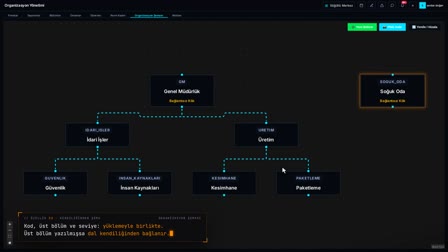
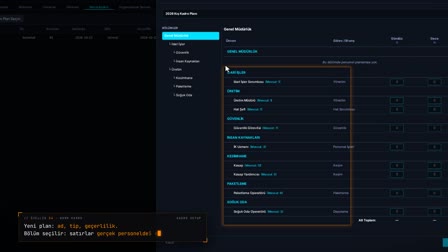
Application departments and positions are defined by location, and each candidate is linked to these classes. Each candidate is given a sequential candidate number in the format A-000001; the pool is sorted by application date from newest to oldest.
CV database: resumes, reference letters and certificates stored encrypted
CVs, reference letters, certificates and other documents are uploaded as PDF, JPG or PNG up to 20 MB, stored encrypted and checked for integrity with SHA-256. Files are previewed and downloaded without leaving the page.
Screening tags: pre-assessment at application stage and candidate status
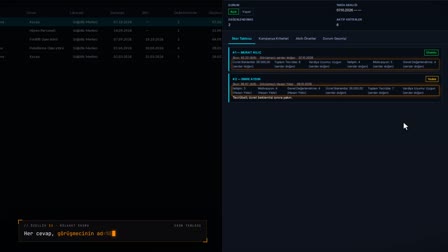
Screening tags are defined and assigned to candidates; tags can be added, edited and deleted. A candidate is moved to Candidate (Aday), Hired (İşe Alındı) or Final Rejection (Kesin Red) status, and a final rejection requires a reason; the interview result is recorded as Positive (Olumlu), Negative (Olumsuz) or Continue as candidate.
Filter the pool like Excel and export to Excel
In the applications grid, each column's options come from the server, narrowing according to the other filters. The right-click menu opens Add New Application (Yeni Başvuru Ekle), Pre-Review (Ön İnceleme), Candidate Details (Aday Detayı), Add Note (Not Ekle), Add to Interview (Mülakata Ekle) and Add Meeting (Görüşme Ekle) from the row; the list is exported as Excel, PDF or CSV.
Editing applications in the recruitment software: history and notes
An application is edited, or removed from the list by deactivating it rather than deleting it. Creation, edits, status changes and deletion are kept in the history with old and new values and the reason; personal notes linked to the candidate appear in the candidate drawer.
Frequently asked questions
Is a talent pool the same as a candidate database?
In Pulsar, yes: the Applications (Başvurular) screen keeps all job applications in a single pool with candidate number, channel and application class. When a candidate is added to an interview, the process continues on the same record.
What is a resume database and how to create one?
A CV database is an archive in which candidates' resumes are stored together with their application records. In Pulsar, the CV is uploaded by drag and drop from the application form, stored encrypted and previewed from the candidate details.
How to fill in a job application form?
For a new application, HR enters the first name, last name, Turkish ID number (TC), phone, date of birth, gender, education, experience, channel, candidate source and application class, and drags the CV onto the form. On saving, the candidate is added to the pool.
How to screen candidates?
Pre-review tags are assigned to candidates; tags are added and edited per company. A screened-out candidate is moved to Final Rejection (Kesin Red) status with a reason.
What happens if the same person applies twice?
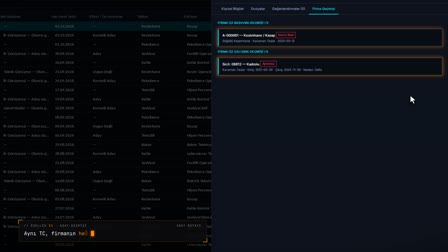
Company History (Firma Geçmişi) automatically shows previous applications made with the same Turkish ID number (TC), including those at other locations. If the person is an active employee, the new application is stopped with a warning showing their employee number.
Can the application list be exported to Excel?
Yes. The application list is exported as Excel, PDF or CSV with the columns in the grid.
How to track application channel and candidate source?
For each application, the channel (Online, Walk-in, Referral, Career Site, Other) and the candidate source are selected; the grid can be filtered by these columns.
Are rejected candidates removed from the pool?
No. A rejected candidate stays in the pool with Final Rejection (Kesin Red) status; when an application is deleted, the record is deactivated and remains in the history.
Can Pulsar be used as an applicant tracking system (ATS)?
Yes. The Applications (Başvurular) screen tracks every job application in one pool with candidate number, channel, application class, screening tag and status; interviews, notes and history stay on the same record. HR enters the application.
How to build a blue-collar talent pool?
Blue-collar positions are defined as the location's application departments and positions, and each candidate is linked to these classes. Walk-in or referral applications enter the same pool with their channel.