ERP integration software: employee data arrives instantly, faulty bulk changes are not written.
ERP HR integration: hires, updates and leavers arrive instantly via ERP webhook; nightly sync, bulk change protection and ERP data mapping.
Event-based integration: real-time employee sync via ERP webhook
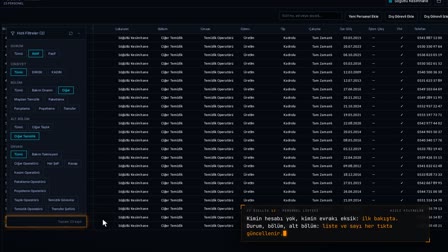
Hires, updates and exits are reflected in Pulsar instantly via the ERP webhook. There is no minute-by-minute or hourly polling; an event is processed the moment it arrives.
ERP employee sync for missed events: nightly, at startup and on reconnection
Missed events are synchronized every night at 02:00, once at API startup and once when the ERP connection comes back; this compensates for ERP connection outages automatically. An authorized user can start a manual sync if needed.
Bulk change protection: HR and ERP data consistency
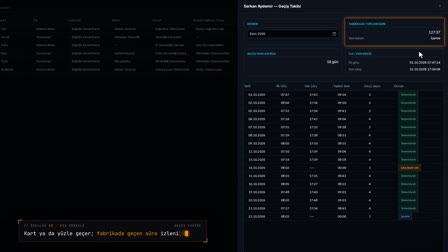
If a sync arrives with data that would deactivate a large share of active employees or make bulk name changes, no record is written and a difference report is produced. A wrong status profile or a faulty transfer does not corrupt the personnel list.
Data mapping for ERP, location scope and missing data warning
ERP fields (such as phone, marital status and blood type) are mapped to Pulsar fields. If the scope list is filled in, only records from the workplaces on the list are processed; a warning is produced only for fields that are mapped in the ERP and are also empty in Pulsar.
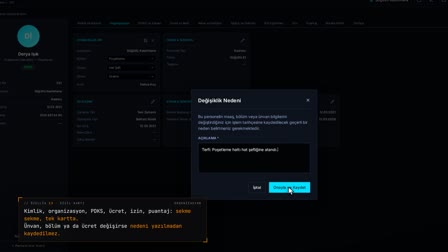
ERP as master: employee master data for pay and employer fields only from ERP
When the ERP is the master source, pay and employer fields change only from the ERP. Data that affects payroll is managed from a single source and cannot be changed by hand on screen.
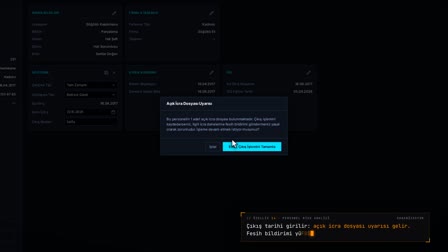
ERP terminations reflected correctly in payroll
If the ERP sync reverses an exit and leaves the payroll relationship open, the relationship is aligned to the exit date before the payroll analysis. Finalized periods are not touched.
Frequently asked questions
What is HR ERP integration?
ERP integration is the automatic transfer of data from an organization's ERP system to another system. In Pulsar HRM, employee hires, updates and exits are transferred instantly via the ERP webhook.
What is a webhook and what is it for?
A webhook is a connection that sends an instant notification to another system when an event occurs in one system. Pulsar HRM processes employee hires, updates and exits arriving from the ERP via webhook without waiting.
How to integrate ERP with HR software?
In Pulsar HRM, events arrive instantly via the ERP webhook; missed events are synchronized at night, when the API starts and when the connection comes back. ERP fields are mapped to Pulsar fields.
What is the difference between a webhook and an API in ERP integration?
With an API, one system requests and pulls the data; with a webhook, the data is sent to the other system automatically the moment an event occurs. Pulsar HRM receives ERP events instantly via webhook and fills in missed events with pull synchronization at set times.
How often is ERP data synchronized?
Data synchronization between the HR systems works in two ways: events arrive instantly; pull synchronization runs only every night at 02:00, once at API startup and once when the connection comes back. There is no minute-by-minute or hourly pull.
How to prevent a mass deactivation error?
Before syncing, Pulsar HRM compares the incoming data with live records; if a large share of active employees would be deactivated or there are bulk name changes, no record is written and a difference report is produced.
What changes when ERP is the master source on the personnel card?
When the ERP is the master source, pay and employer fields change only from the ERP; these fields are not edited from the Pulsar screen.