Employee timesheet: click a name and the whole month opens
Monthly timesheet and payroll data in one click.
The screens in this film were recorded from the Turkish interface of Pulsar HRM.
Employee Timesheet: monthly timesheet and payroll data
Click a name in Timesheet Monitoring (Puantaj İzleme); the whole month opens and the payroll data is prepared.
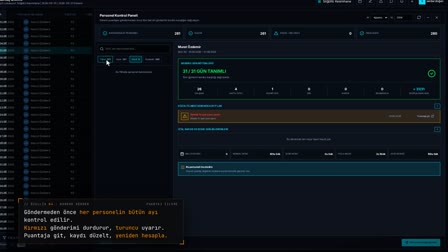
Monthly timesheet and attendance dashboard in one panel
In Timesheet Monitoring (Puantaj İzleme), clicking a name in the Employee Name (Personel Adı Soyadı) column opens the employee's timesheet panel. Period, net work, missing time (E.M.), overtime (F.M.) and leave summaries sit at the top.
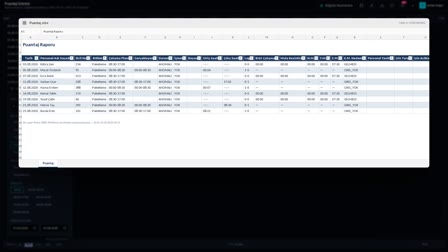
Daily and monthly timesheet example: schedule and actuals side by side
Every day of the period is listed in a single table with the work schedule, actual, clock-in and clock-out times, normal time (N.M.), E.M. and F.M. A day worked differently from the schedule is visible on the same row.
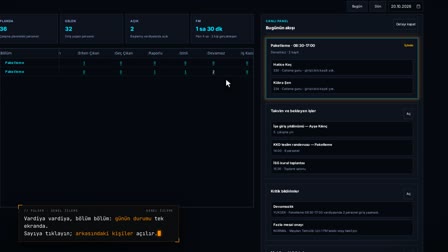
From the timesheet to the personnel record card and payroll preparation
"Open Record Card" ("Sicil Kartını Aç") at the bottom of the panel opens the employee's Personnel Record Card (Sicil Kartı); "Prepare Payroll" ("Bordro Hazırla") sits in the same place.
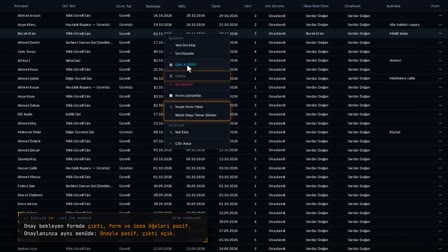
Timesheet review: correcting a daily row and recalculating
A day's raw clock-in and clock-out records are opened; a missing record is added by hand, the actual shift is selected and the day is recalculated. A row whose payroll has been finalized is skipped in recalculation.
How it works
- In Timesheet Monitoring (Puantaj İzleme), you click a name in the "Employee Name" ("Personel Adı Soyadı") column.
- The employee's timesheet panel opens; summaries for Period (Dönem), Net Work (Net Çalışma), E.M. (missing time), F.M. (overtime) and Leave (İzin) appear at the top.
- Every day of the period is listed in a single table with Work Schedule (Çalışma Planı), Actual (Gerçekleşen), clock-in and clock-out times, N.M. (normal time), E.M. and F.M.
Frequently asked questions
Do I need a separate report to see an employee's monthly timesheet?
No. When you click a name in Timesheet Monitoring (Puantaj İzleme), all of the employee's days in the selected period and the period summaries open in the same panel.
Can I open the personnel record card from the timesheet panel?
Yes. The "Open Record Card" ("Sicil Kartını Aç") button at the bottom of the panel opens the employee's Personnel Record Card (Sicil Kartı); "Prepare Payroll" ("Bordro Hazırla") is in the same place.
Timesheet codes: what do N.M., E.M. and F.M. mean?
N.M. shows normal working time, E.M. missing time (such as arriving late or leaving early), and F.M. overtime beyond the shift length. Pulsar HRM calculates these durations separately for each day.
What is a timesheet?
A timesheet is the record of how much and how each employee works every day. In Pulsar HRM, it is calculated automatically for each employee-day from clock-in and clock-out, work schedule, shift, leave and overtime data.
What happens to the timesheet if actual work differs from the schedule?
If the employee worked at a different time than planned, the shift is detected from the actual clock-in and clock-out; if needed, the timekeeper selects the actual shift by hand and the day is recalculated.
How to review an employee's monthly timesheet?
The panel shows the period summaries and every day side by side; from a problem day's row, the clock-in and clock-out records are opened and corrected. At period end, the Send to Payroll (Bordro Gönder) panel separately verifies each employee's month.