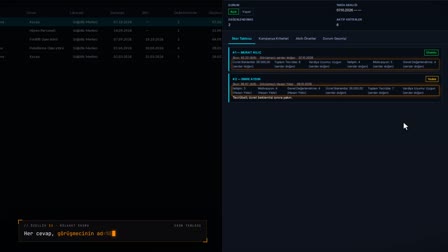
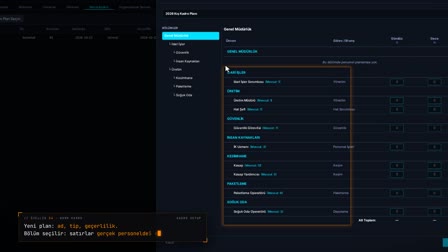
Org chart: upload your employees and the chart arranges itself.
Departments, job titles and positions from Excel; drag-and-connect chart.
The screens in this film were recorded from the Turkish interface of Pulsar HRM.
Self-Building Chart: organization chart from Excel
When the employee Excel file is uploaded, records in the Department, Parent Department Name, Job Title and Position columns are created if they don't exist yet; codes and levels are filled in automatically, and the Organization Chart (Organizasyon Şeması) tree arranges itself. A branch with no parent department is dragged, connected and saved; loops cannot be created. The chart can be downloaded as a PNG.
Multi-company HR: company, department, job title and position definitions
Companies of the parent company, holding, group company and region types are defined with tax number, MERSİS (Turkish central trade registry) number, KEP (registered electronic mail) address, SGK workplace registration number and NACE code. A department is kept with its cost center, responsible job title and the hazard class that comes from the location; a chief, deputy chief, manager or HR specialist is assigned as department supervisor; job titles are recorded with a career level and roles with a job description.
Bulk employee import from Excel: department, parent, job title and position
The employee Excel template contains the Department, Parent Department Name, Job Title and Role (Bölüm, Üst Bölüm Adı, Ünvan, Görev) columns; if an entered record does not exist, it is created. The file is checked first and then uploaded.
Department hierarchy: department code and level are set automatically
On import, the department code is generated from the name, the department is linked to its parent and its level is set one below the parent. The departments grid shows an indented unit tree; each row also shows the department's hazard class, taken from its location, and its cost center.
Automatic org chart: the department tree lays itself out
The Organization Chart (Organizasyon Şeması) tab draws the tree automatically from the department records. Unlinked roots are flagged separately.
Drag and link; loops are rejected
When a department is dragged and linked to another department, the parent department is saved. A link that would create a loop is rejected and the chart returns to its previous state.
Download the org chart as PNG
The chart is saved as organizasyon-semasi.png with Download PNG (PNG İndir). Because the chart is drawn from the department records, no separate drawing file is kept.
How it works
- In Personnel Management (Personel Yönetimi), you use "Upload Excel" ("Excel Yükle") to select a personnel file that follows the template.
- You check the rows with "Check" ("Kontrol Et"), then upload the records.
- Departments, job titles and roles in the Excel file are created if they do not exist; the department code is generated from the name, and the parent department and level are filled in automatically.
- The Organization Chart (Organizasyon Şeması) tab arranges departments in a tree automatically.
- You drag a branch with no parent department and attach it to a department; the link is saved, and you download the chart as a PNG.
Frequently asked questions
Does the org chart need to be drawn by hand?
No. Records are created from the Department, Parent Department Name, Job Title and Role columns in the personnel Excel file, and the Organization Chart (Organizasyon Şeması) is arranged from these records automatically.
What happens if a department in the Excel file does not exist in the system?
Departments, job titles and roles that do not exist are created during the upload. The department code is generated from the name in capital letters; if a parent department is given, it is attached to that branch and its level is calculated as one below the parent.
Can a department in the chart be attached to one of its own sub-branches?
No. A link that would create a loop is not saved; the warning "Link could not be saved!" ("Bağlantı kaydedilemedi!") appears and the chart returns to its previous state.
How to make an org chart?
As org chart software, Pulsar does not ask you to draw the chart: the employee Excel file is uploaded with department and parent department columns, and the chart builds itself from the department records.
Can you make an org chart from Excel?
Yes. Departments, parent departments, job titles and roles in the Excel file are created if they do not exist, and the chart is laid out as a tree from these records.
How to change the department structure?
On the chart, a department is dragged onto a new parent department and linked; the level is recalculated and the record is updated.
What happens if an incorrect link is made?
A link that would create a loop is not saved, a warning appears and the chart returns to its previous state.
Can the org chart be downloaded as a PNG?
Yes. Download PNG (PNG İndir) provides the chart as the file organizasyon-semasi.png.
Do only departments appear on the chart, or are job titles and positions created too?
The Excel upload creates job title and role records along with departments; the chart shows the department tree.
Can multiple group companies be defined for multi-company HR?
Yes. On the Companies tab, several companies of the type parent company, holding, group company or region are defined with tax number, MERSİS, KEP, SGK (Social Security Institution) workplace registration number and NACE code. Departments are managed on the Departments tab; subcontractor companies are kept on the Subcontractors tab together with the company they belong to.