Document revision control: fix the form and publish it; the ISO revision number advances automatically.
Revision, preview with real data and the KYS/ISO number in one flow.
The screens in this film were recorded from the Turkish interface of Pulsar HRM.
Template Revision: ISO document template revision
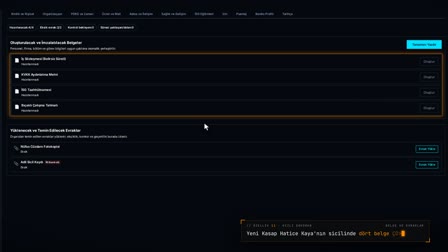
In the Document and Template Catalog (Belge ve Şablon Kataloğu), Start Revision (Revizyon Başlat) opens a new draft from the published version. In the editor, the letterhead is locked and the quality block comes from the KYS record; data fields and a three-party signature block are added. Publishing is done from a page previewed with a real leave form and a PDF generated from the same view. On the KYS / ISO screen, the revision number advances automatically.
Document control system: the KYS / ISO controlled documents list
The KYS screen lists each controlled document with its KYS document number, template, revision number, effective date and status. The list also shows the owner type, institution, letterhead, locations and first publication date.
Start Revision: a draft from the published version
In the Document and Template Catalog (Belge ve Şablon Kataloğu), Start Revision (Revizyon Başlat) opens a new draft from the published version. The published version does not change.
Template management: data fields and triple signature in the editor
In the editor, a data field is searched for and inserted (for example, the start date), a triple signature block is placed with one click and the draft is saved. The toolbar includes page orientation, font, font size, line spacing, find and replace, and linked table selection.
Real-data preview and a PDF from the same page image
In publish mode, a real record number is entered and the template is previewed with that record's data. A PDF is generated from the same image, and once verified, it is published.
ISO document revision: the revision number advances automatically
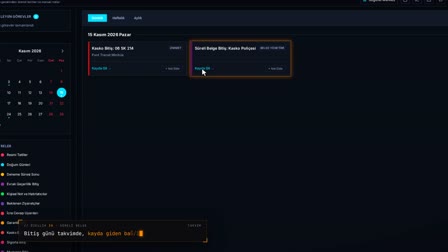
With Publish, the previous active version moves to the archive, the KYS revision number advances (for example, 1.1) and the effective date is recorded. The post-publication notification states that the template was published with a real-data preview and a PDF verification from the same page image.
How it works
- In the Document and Template Catalog (Belge ve Şablon Kataloğu), you right-click a template row and use "Start Revision" ("Revizyon Başlat") to open a new draft from the published version.
- In the editor, the letterhead is locked; you add a data field with "Search data field" ("Veri alanı ara") and a signature grid with "Add triple signature field" ("Üçlü imza alanı ekle").
- You save the draft with "Save as Draft" ("Taslak Olarak Kaydet"), then right-click the row in the catalog and choose "📢 Publish" ("📢 Yayınla").
- You enter a leave form number to get a "Preview with Real Data" ("Gerçek Verili Önizleme"), verify the PDF with "Create PDF from Same View" ("Aynı Görüntüden PDF Oluştur") and publish.
- In the catalog, the new version becomes "Published" ("Yayımlandı"); on the KYS / ISO screen, the revision number and effective date are updated.
Frequently asked questions
When a template changes, do I have to update the ISO revision number by hand?
No. When the template is published, the revision number and effective date of the KYS record are updated automatically. The quality block in the letterhead (Document No, Revision No) also comes from the KYS record.
What happens to the previous version when a new revision is published?
A revision opens as a draft with the next minor version number after the latest version. On publication, the previous active version is not deleted; it is archived.
Will the published PDF match the page I previewed?
For the leave form template, publication is done from the page previewed with a real leave form you select; the PDF is generated from the same page view and verified before you move on to the "Publish" ("Yayınla") step.
How is a revision number assigned in QMS document control?
It is not assigned by hand; when a template linked to KYS is published, the revision number advances automatically and the effective date is recorded.
How does document revision control work?
A draft is opened with Start Revision (Revizyon Başlat), changes are made, checked with a real-data preview and published; the previous version moves to the archive.
Is a revision trail kept for ISO 9001 document control?
Yes. The KYS screen shows each document's revision number, first publication and effective dates and status.
Can a published template be changed?
No. A published version does not change; changes are made through a new revision draft.
Is the preview the same as the PDF?
Yes. The PDF is generated from the same page image as the real-data preview, and nothing is published without verification.
How does the document numbering system work?
Document numbering is tied to the KYS record: the KYS document number (for example IK-FR-012) is kept in that record, listed with the template and carried into the Document No field of the letterhead.