See what changes in employee transport before you change a shift
Scenario, before/after, central approval, publishing.
The screens in this film were recorded from the Turkish interface of Pulsar HRM.
Shift Simulation: shuttle impact of shift changes
In Staff Simulation (Personel Simülasyonu), a team is moved to the evening shift in a temporary scenario; the live schedule doesn't change. People, vehicles, occupancy and monthly cost per route are shown before and after, side by side; a person with no shuttle assignment isn't placed on a vehicle by guesswork. Once the scenario is approved, it is written to the work schedule in a single operation.
Department shift change: select people and move them to another work pattern
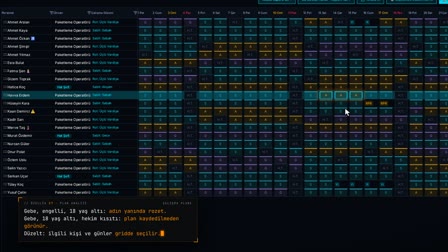
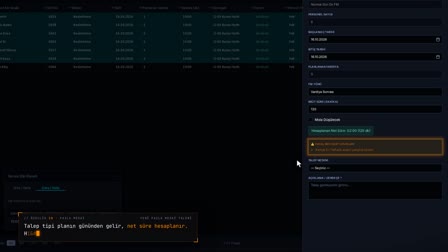
In the simulation, the people table is filtered by route, department, work pattern and search; the selected people are moved to the target work pattern. Only shifts that can be applied in that department appear in the target list.
Transport cost analysis: people, vehicles, occupancy and monthly amount before/after
The change is reflected instantly by route in its before and after states; the monthly amount difference appears in the same table. Changes made can be undone one by one or all at once.
A shift scenario does not change the live schedule
The simulation does not change live data; once a decision is made, the shift is changed in the Work Schedule (Çalışma Planı) and the shuttle measurement is read from the new schedule.
One click from X-Ray to the shift simulation
Clicking a row in the X-Ray (Röntgen) window table opens the simulation with that window's route and work patterns.
Employee shuttle simulation for hiring: does a new hire need a vehicle?
The stop and department are selected; the table shows whether a vehicle is needed depending on the work pattern under which the new person is hired.
How it works
- In Shuttle Planning › Staff Simulation (Servis Planlama › Personel Simülasyonu), you select employees with the route and department filters.
- You select the target work pattern and click "Apply to scenario" ("Senaryoya uygula"); the change stays in a temporary scenario and the live plan does not change.
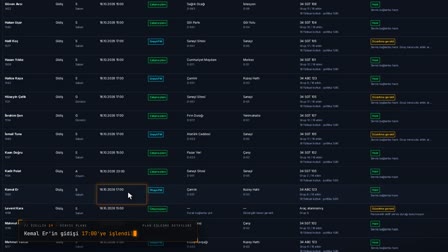
- The change table shows each person's new shuttle assignment; the comparison table shows before and after by route.
- You save the scenario and send it for central approval.
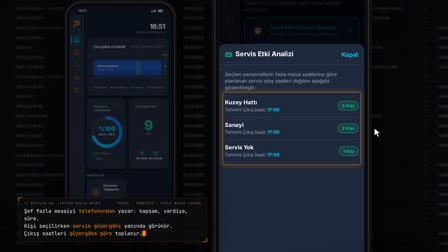
- With "Publish" ("Yayınla"), you write the approved scenario to the work schedule in one step; employees see their new shift on their phones.
Frequently asked questions
Can I see the transport impact of a shift change without changing the live schedule?
Yes. Staff Simulation (Personel Simülasyonu) keeps the change in a temporary scenario. People, vehicles, occupancy and monthly cost by route are shown side by side for the current plan and the simulation.
What happens to employees with no shuttle link in the new shift?
The system does not place such a person on a vehicle by guesswork; the change table shows them as, for example, "No outbound shuttle assignment" ("Gidiş servisi bağlantısı yok"). In the comparison, inbound and outbound are counted separately.
Is the scenario still published if the work schedule changed after approval?
No. At publication, the snapshot of the approved scenario is compared with the current work schedule; if they differ, publication stops.
Which shifts can be selected in the shift simulation?
The target work pattern list is limited to the shifts that can be applied in the department of the selected people; a shift whose applicable department is left blank is open to every department.
Is the simulation result written to the work schedule?
No. The simulation only shows the impact; once a decision is made, the shift change is made in the Work Schedule (Çalışma Planı).
Does a shift change save on shuttle costs?
The simulation table gives the monthly amount per route before and after; any saving or extra cost shows as the difference in the same row.
Is a shuttle vehicle needed for a new hire?
On the Recruitment (İşe Alım) tab, the stop and department are selected; the table shows the work pattern under which hiring the new person would require an additional vehicle.
Can simulation changes be undone?
Yes. They are undone one by one or all at once from the list of changes.