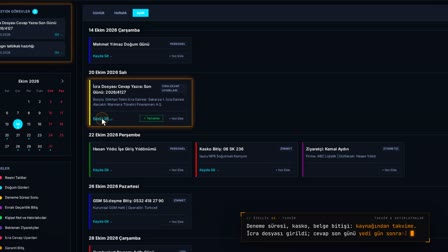
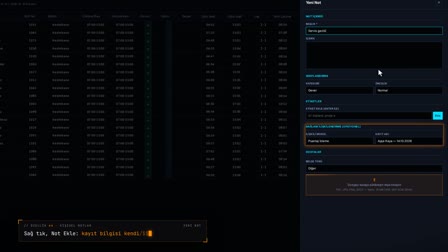
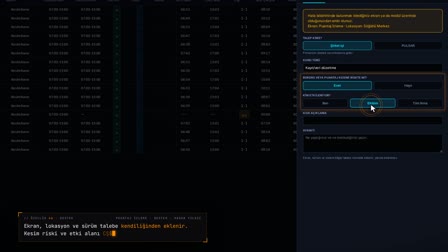
Kaizen: from a note forgotten in the suggestion box to a decision file in front of management.
Pre-approval, additional information, report and management decision in one record.
The screens in this film were recorded from the Turkish interface of Pulsar HRM.
Kaizen: kaizen and improvement ideas
An employee writes an improvement suggestion on their phone; it lands automatically in the department supervisor's Pre-Approval (Ön Onay) queue. Missing information is asked for and answered in the same record. After the first approval, it moves up to a senior manager; the preliminary assessment prepares the decision support report. The report is versioned and its content is recorded with SHA-256; the person who made the decision and the person who entered it into the system are shown separately.
Kaizen form on the phone with the kaizen app
Under Requests (Talepler), the employee opens the Kaizen / Improvement (Kaizen / İyileştirme) card. They write the title, category, current situation and suggestion, add up to three photos and press Send Suggestion (Öneri Gönder).
Kaizen approval workflow: pre-approval queue and more information
The suggestion goes with a record number to the department supervisor's Pre-Approval (Ön Onay) queue. If the supervisor requests more information, it goes to the suggestion owner, and with the reply the record returns to the stage where it left off.
Suggestion evaluation and the kaizen report for management
After the first approval, the suggestion moves to the approver's immediate superior. When the preliminary evaluation is completed, the management decision support report is created as a draft and viewed as a PDF.
Top management decision and report version
When the senior management decision (for example, added to the implementation plan) is entered, the report is finalized and its version increases. The person who made the decision and the person who recorded it appear separately, and a notification goes to the suggestion owner.
My Kaizens: improvement ideas tracking for the submitter
In My Kaizen Suggestions (Kaizen Önerilerim), the employee sees the status of their suggestion and any additional information requested, and sends their reply from there. When the reply is sent, the list refreshes and the suggestion continues from the stage where it left off.
How it works
- On their phone, the employee fills in the current situation, their suggestion and the expected benefit in the Requests › "Kaizen / Improvement" ("Kaizen / İyileştirme") form and sends it.
- The suggestion gets a number and lands in the department supervisor's Pre-Approval (Ön Onay) queue; the supervisor asks for missing information with "Request Additional Information" ("Ek Bilgi İste").
- The employee answers the question on the "My Kaizen Suggestions" ("Kaizen Önerilerim") screen; the record returns to the stage where it was.
- After the first approval, the suggestion moves to the approver's line manager; once the preliminary assessment is complete, a decision support report is prepared.
- The report opens as a PDF in Management Reports (Yönetim Raporları); the senior management decision is recorded with the name of the person who made it.
Frequently asked questions
Who receives a kaizen suggestion?
The responsible person is determined from the suggestion's department, and the suggestion lands in their Pre-Approval (Ön Onay) queue. After the first approval, the record is routed to the approving user's line manager.
Where does the employee see and answer a request for more information?
On the "My Kaizen Suggestions" ("Kaizen Önerilerim") screen on their phone, in the record's "Requested Additional Information" ("İstenen Ek Bilgi") section. Once the answer is sent, the record returns to the stage where it was and the step is added to the movement history.
How is the management decision support report stored?
The report is versioned: a draft is created at the preliminary assessment and the final version with the management decision. The PDF's content digest is recorded with SHA-256; the person who made the decision and the person who entered it in the system are shown separately.
How to fill in a kaizen form?
On the phone, the title, category and description are written on the Kaizen / Improvement (Kaizen / İyileştirme) card, a photo is added and the suggestion is sent; on the web, a manager can also enter it on the employee's behalf.
What happens to a suggestion when more information is requested?
A notification goes to the suggestion owner; when the employee replies from My Kaizens (Kaizenlerim), the record returns to the stage where it left off.
Can you get the kaizen report as a PDF?
Yes. The management decision support report is viewed as a PDF and sent by email; the file carries a version number.
Where does the submitter track their suggestion?
They track its status and any additional information requested on the My Kaizen Suggestions (Kaizen Önerilerim) screen in the mobile app.
Can a kaizen suggestion be entered on the web?
Yes. On the web, a manager can enter the suggestion on the employee's behalf with New Suggestion (Yeni Öneri).
How does the Pulsar kaizen module work as an employee suggestion system?
The employee submits the idea by phone with the Kaizen / Improvement form; it goes to the department supervisor's Pre-Approval (Ön Onay) queue and, after the preliminary evaluation, to the top management decision with the management decision support report. The submitter follows the process in My Kaizen Suggestions (Kaizen Önerilerim).
Can kaizen be tracked with kaizen software instead of Excel?
Yes. In Pulsar, each suggestion gets a record number from the form; approval stages, information requests and replies are written to the movement history, and the management decision support report is kept as a versioned PDF.